
What is OfficeClip Timekeeping Software?
OfficeClip Timekeeping Software lets employees record time against specific projects, tasks, and clients so managers can track progress, costs, and resource utilization in real time. It helps organizations see how much work is completed, whether projects stay within budget, and where employees may need support or training.
Project and Account Setup
Project Management
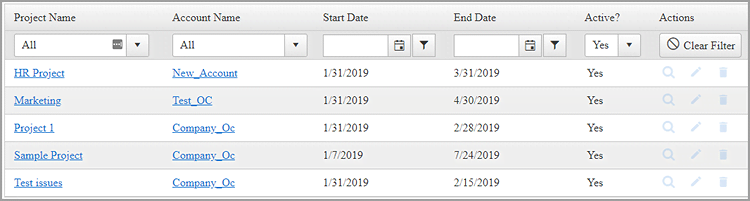
Administrators create projects, define activities, and assign responsibilities so employees can log time against the correct work items. This setup provides visibility into ongoing projects and helps forecast future resource requirements.
Accounts Management
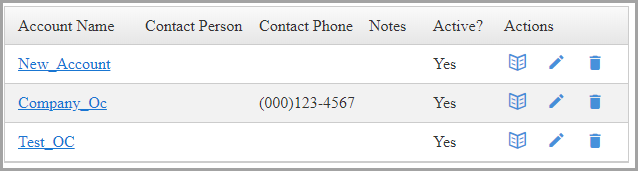
Accounts represent your customers, allowing you to link multiple projects to each client and keep billing and reporting organized.
Task Management and Time Entry
Task Management
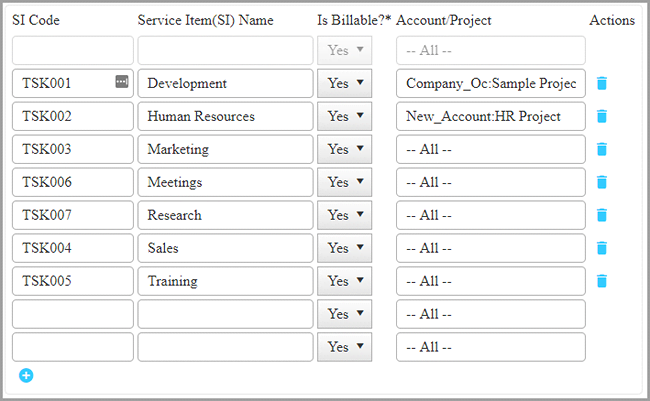
Time is billed against task categories called service items, which administrators configure for each project. Employees only see and select the tasks that are assigned to the projects they work on, reducing errors and confusion.
Entering a Timesheet
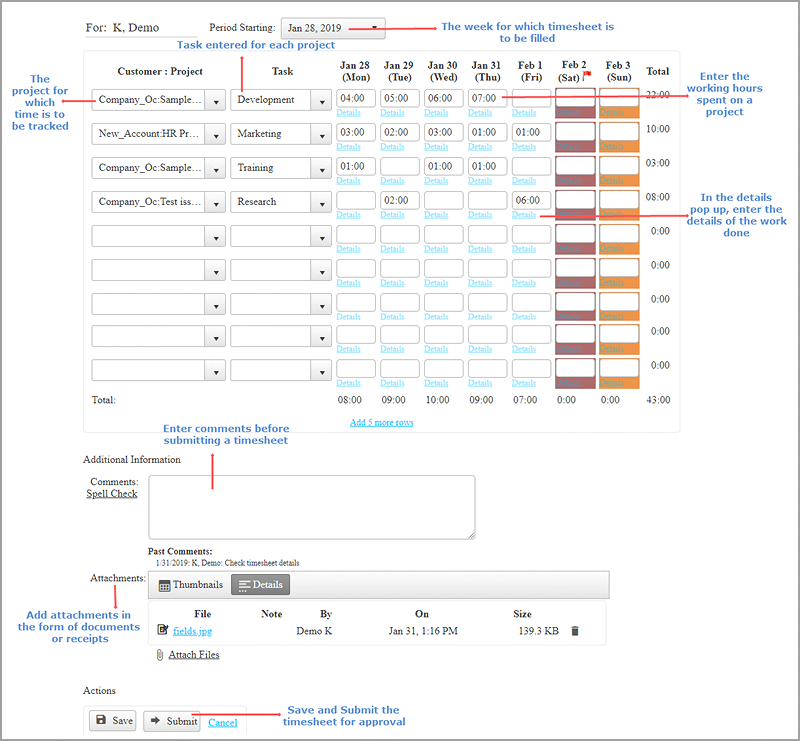
The timesheet screen follows a familiar spreadsheet layout where employees enter hours for projects, tasks, and payroll items. When Clock‑In/Out mode is enabled, the system records exact start and end times, and users can add comments plus attach receipts or documents to their timesheets.
Timesheet Views and Details
Consolidated View of Timesheets
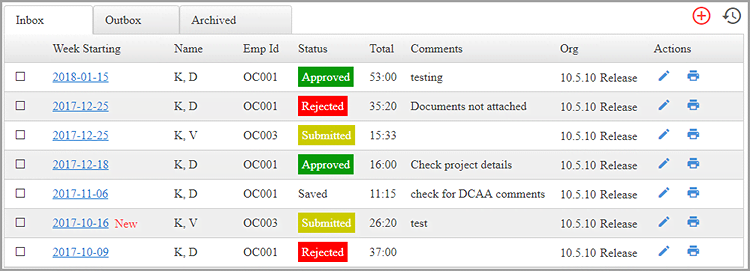
The timesheet list view shows current and past timesheets, total hours worked, and the approval status (submitted, approved, or rejected) for each entry. This consolidated view gives managers a quick snapshot of timesheet activity across the organization.
Timesheet Details
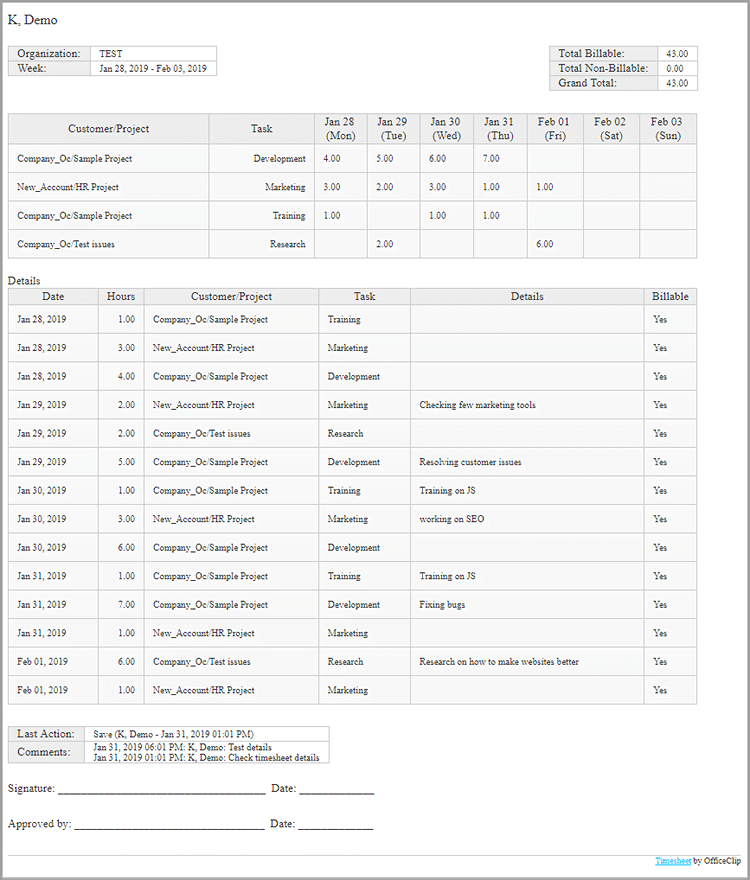
The detailed view provides a weekly breakdown of all work performed by a user, including project and account, task information, hours spent, billable status, and user comments. This bird’s‑eye view makes it easier to review work history and verify billable time before payroll or invoicing.
Benefits of OfficeClip Time Tracking Software are:
- Detailed insight into time spent on each project and task for better budgeting and control.
- Continuous monitoring of employee hours across different activities and clients.
- Improved project analysis and planning using accurate historical time data.
- Easier identification of bottlenecks and factors that delay project completion.
- Up‑to‑date, centralized information about completed work for managers and stakeholders.
- Flexible time capture from both desktop and mobile apps, supporting in‑office and remote teams.


