Discover the top 10 features of Issue Tracker module:
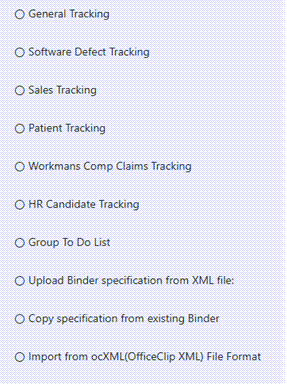
Binders
- Group related issues for easy tracking
- Customize binders and their fields for different projects
- Control user access and permissions for each binder.
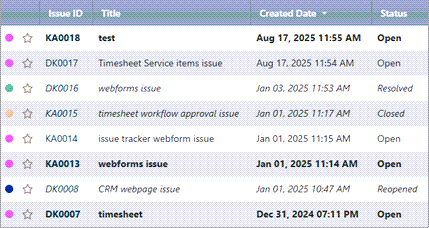
Issue List
- See all issues in a clear, sortable table
- Quickly filter and search to find specific issues
- Color-code issues to instantly identify their priority and urgency.
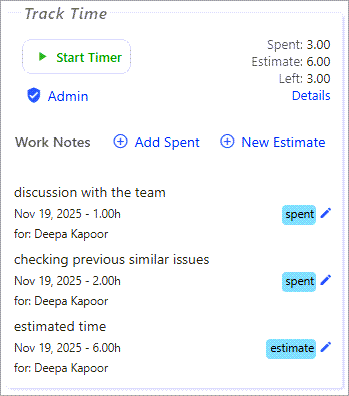
Track Time
- Log estimated time and actual time spent on each issue
- Monitor team productivity and total time spent across all issues
- Generate reports for client billing or analysis
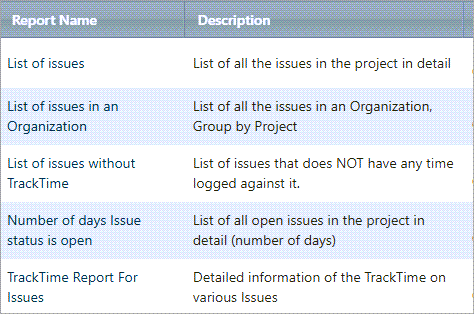
Reports
- Generate detailed reports on issue status and progress.
- Track essential KPIs like resolution time, workload, and priority status.
- Export data for sharing or further analysis.
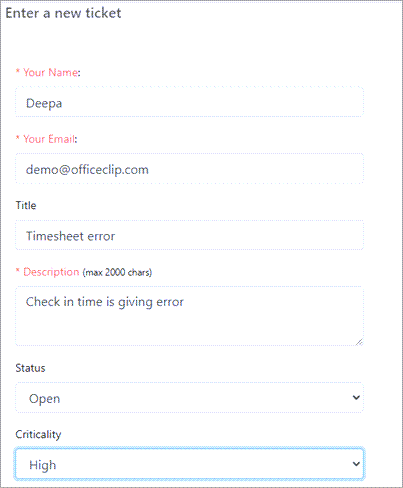
Webforms
- Capture issues directly from website forms
- Customize webforms to collect specific information
- Supports a Public Feature allowing users to report bugs and check status via a secure email link.
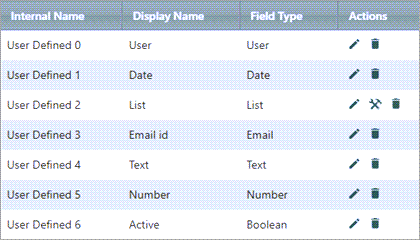
Custom Fields
- Add custom fields to capture issue details specific to your workflow
- Enables the issue tracker to perfectly match your unique business processes and terminology,
- Enhance reporting and filtering based on your organization’s most important criteria.
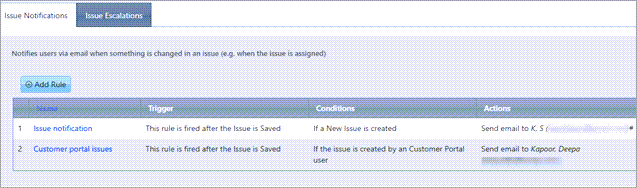
Rules
- Automate workflow by setting rules for issue updates and actions
- Set rules to automatically notify team members and customers via email, SMS, or on-screen alerts when an issue is created, saved, or its status is updated.
- Use Escalation Rules to automatically increase an issue’s urgency if it is not resolved promptly.
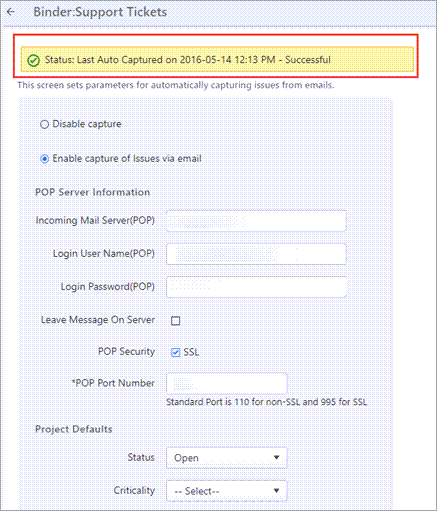
Email Capture
- Convert incoming emails directly into trackable issues
- Automatically assign and categorize issues from email submissions
- Automated customer reply provides a tracking ticket number for progress monitoring.
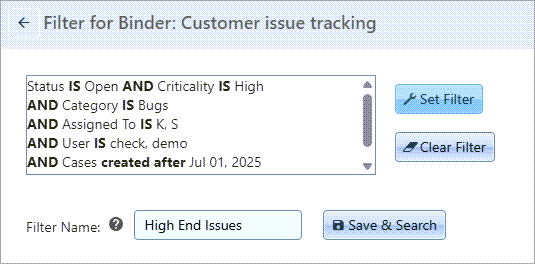
Filters
- Quickly sort and view issues by status, priority, or assignee
- Create custom filter views for different teams and workflows
- Forms the basis for custom reports, allowing users to analyze or export only filtered data subsets.
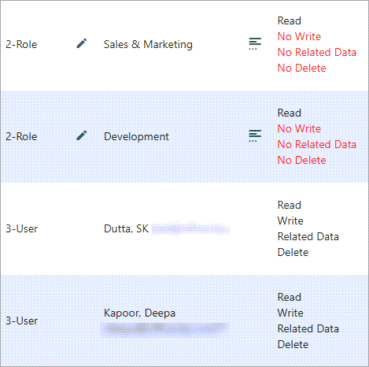
Access Permissions
- Control who can view, edit, or delete issues
- Provides granular control over reports, documents, and individual issue fields to restrict sensitive data visibility
- Restrict Customer Portal Users to viewing only the issues and reports specifically shared with them