Quote from
SK Dutta on December 26, 2018, 7:25 pm
New users can be added in two ways:
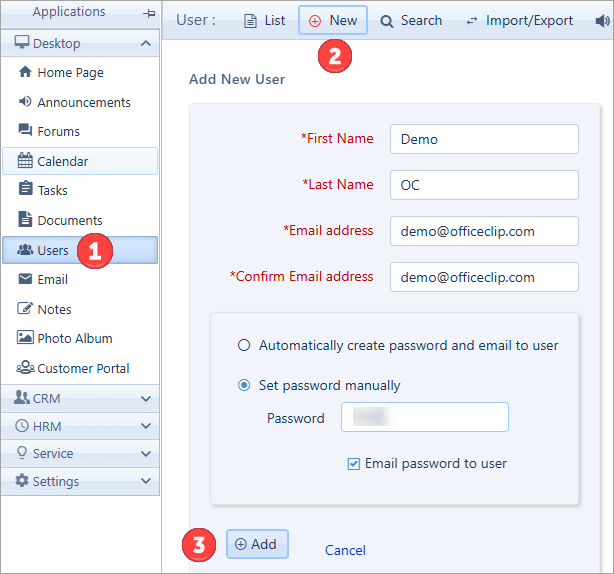
1. Go to the Users application, Click on New and then add user details and click Add.
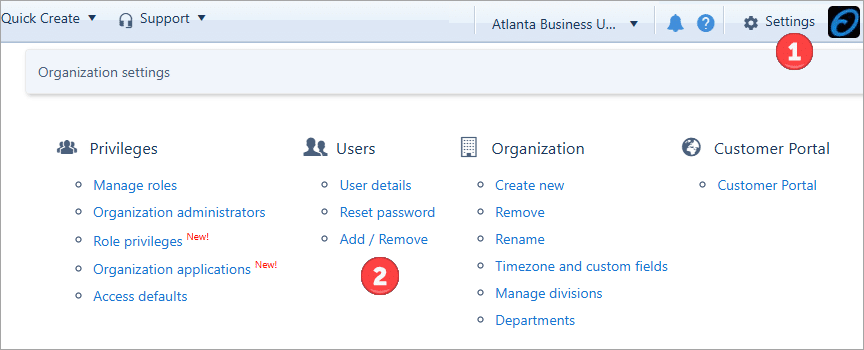
2. Go to Settings > Organization Settings > Add / Remove
New users can be added in two ways:
1. Go to the Users application, Click on New and then add user details and click Add.
2. Go to Settings > Organization Settings > Add / Remove






