
Forum breadcrumbs - You are here:OfficeClip ForumsCustomer Corner: Good Practices (How To's)Get a list of Approved Timesheets
Get a list of Approved Timesheets

SK Dutta@skdutta
207 Posts
#1 · April 30, 2018, 1:01 pm
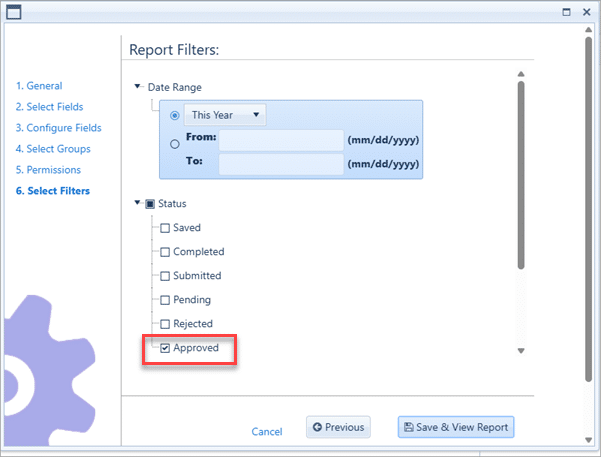
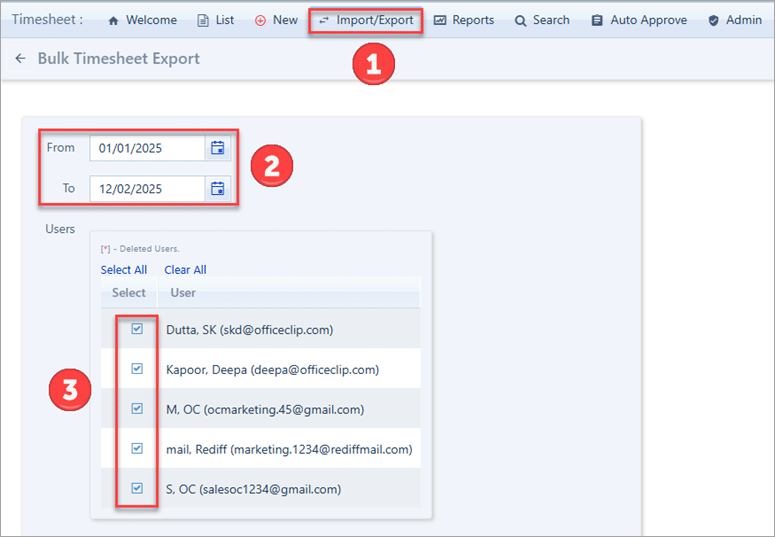
Quote from SK Dutta on April 30, 2018, 1:01 pmThere are three ways to get a list of approved timesheet:
- In the report filter select status as approved.
- You can export all timesheet between a period of time
- In timesheet go to Search or to Admin > Manager to get a list of timesheets. Then you can click on Preview icon to view the timesheet.
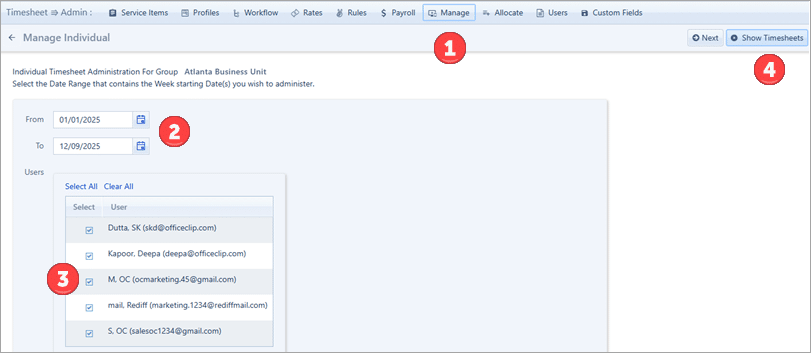
There are three ways to get a list of approved timesheet:
- In the report filter select status as approved.

- You can export all timesheet between a period of time

- In timesheet go to Search or to Admin > Manager to get a list of timesheets. Then you can click on Preview icon to view the timesheet.

Click for thumbs down.0Click for thumbs up.0


