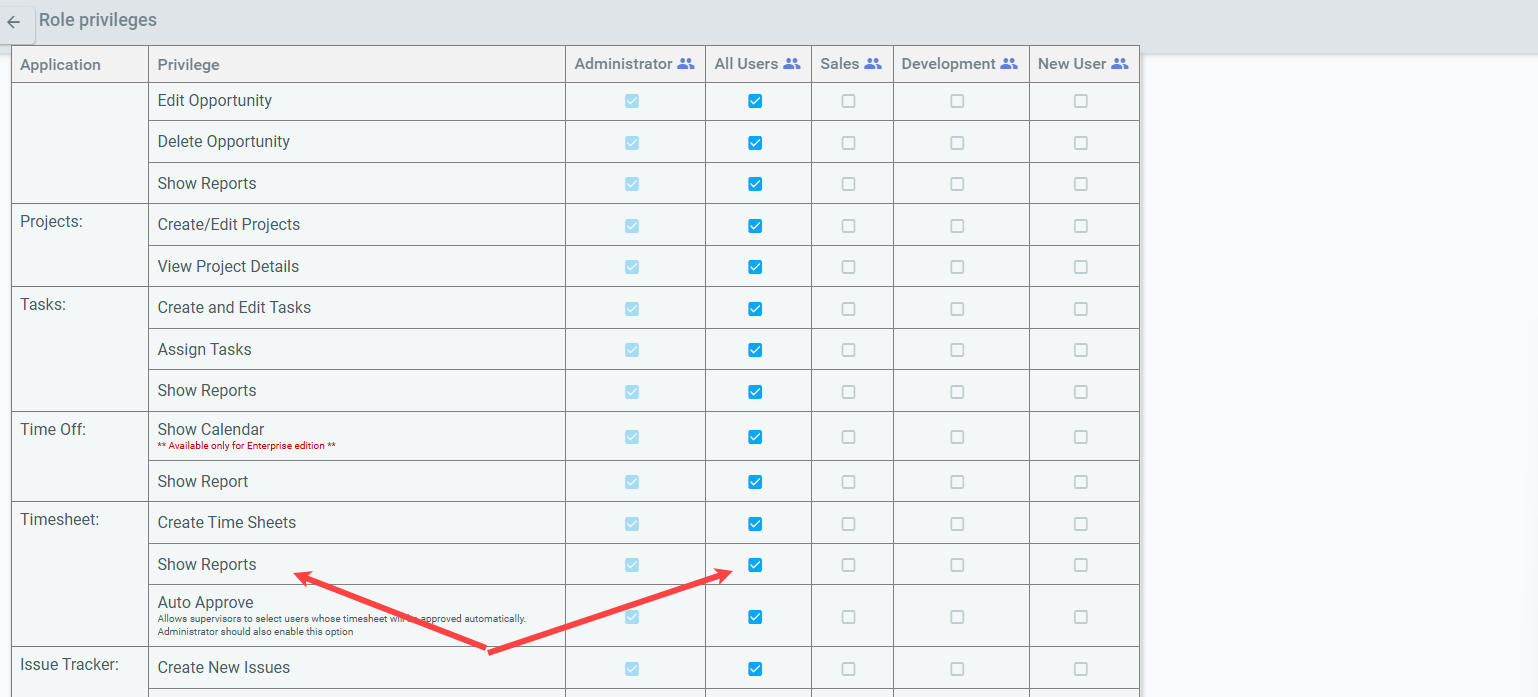
MenuForum NavigationForumMembersActivityLoginRegisterForum breadcrumbs - You are here:OfficeClip ForumsCustomer Corner: Good Practices (How To's)Reports not visible to non‑admin …Please Login or Register to create posts and topics.Reports not visible to non‑admin users in Timesheet applicationNarsimha Rao@narsimha23 Posts#1 · January 14, 2026, 10:55 amQuote from Narsimha Rao on January 14, 2026, 10:55 amThis issue is related to user privileges. To enable report visibility for non‑admin users, please follow these steps: Go to Settings Under Organization Settings, select Role Privileges Under Timesheet, check the Show Report option for all applicable users Check the image below for more information This issue is related to user privileges. To enable report visibility for non‑admin users, please follow these steps: Go to Settings Under Organization Settings, select Role Privileges Under Timesheet, check the Show Report option for all applicable users Check the image below for more information Post Reply: Reports not visible to non‑admin users in Timesheet application Cancel